Comparison guide

A practical guide to choosing a liveportrait alternative free

A liveportrait alternative free may be easier to access, while the original model workflow can offer more control. This comparison separates the real trade-offs so you can choose with confidence.

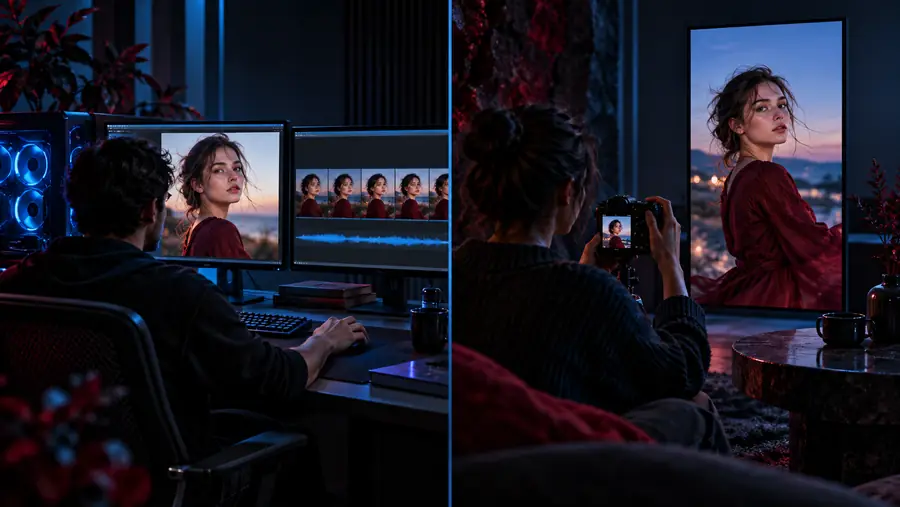
Comparison of LivePortrait workflow options

Two paths, two trade-offs

These options solve different problems: one reduces operational effort, while the other preserves more hands-on control.

Recommended

Hosted LivePortrait route

Best when access and speed matter more than deep configuration.

Pros

  • Less local installation and dependency management
  • A clearer starting point for occasional users
  • Easier to test before committing to a larger workflow
  • Useful when your main goal is to evaluate the model output

Cons

  • Fewer controls over the execution environment
  • Output handling depends on the service you use
  • Privacy and retention policies need to be checked separately
  • Advanced troubleshooting may be less transparent

Local LivePortrait workflow

Best when reproducibility, file control, and technical flexibility are priorities.

Pros

  • More control over source files and processing steps
  • Better suited to repeatable experiments
  • Can fit into a wider local or node-based pipeline
  • Makes environment-level troubleshooting possible

Cons

  • Requires more setup and maintenance
  • Hardware and software compatibility become your responsibility
  • The first successful result may take longer to reach
  • Updates can introduce new configuration work

Limits to plan around

An alternative can remove friction, but it cannot remove the underlying constraints of portrait animation or guarantee a particular result.

It cannot guarantee identical output

Different interfaces, versions, preprocessing choices, and source images can change the final result even when they use the same model family.

WorkaroundRun the same small test set through both routes and compare motion, identity preservation, and artifacts.

It cannot fix every source image

Extreme angles, heavy occlusion, tiny faces, blur, and unusual lighting can make portrait animation less reliable.

WorkaroundStart with a clear, front-facing image and keep a stronger source available for comparison.

It cannot replace rights review

A simpler interface does not change your responsibility to use images, faces, and motion references appropriately.

WorkaroundConfirm that you have permission for the source material and understand the service's handling policies.

It cannot remove all technical decisions

Even a hosted workflow still involves choices about source quality, motion input, output review, and storage.

WorkaroundWrite down a short repeatable checklist before processing a larger batch.

Dimension-by-dimension comparison

The table below is a practical decision aid rather than a claim that one route wins every category.

Hosted LivePortrait route Local LivePortrait workflow
1

Initial setup

Hosted LivePortrait route

Usually lighter because the environment is prepared for you.

Local LivePortrait workflow

Requires installation, dependencies, and environment checks.

2

Control

Hosted LivePortrait route

Typically limited to the controls exposed by the service.

Local LivePortrait workflow

More control over files, settings, and the surrounding pipeline.

3

Repeatability

Hosted LivePortrait route

Depends on service behavior, versioning, and available controls.

Local LivePortrait workflow

Stronger when the environment and inputs are kept consistent.

4

Troubleshooting

Hosted LivePortrait route

Convenient for common use, but internal failures may be opaque.

Local LivePortrait workflow

More visible and adjustable, though you must solve the issue yourself.

5

Privacy review

Hosted LivePortrait route

Requires checking how an external service receives and stores files.

Local LivePortrait workflow

More direct control over where files are processed and retained.

6

Learning curve

Hosted LivePortrait route

Often gentler for a first evaluation.

Local LivePortrait workflow

Steeper because setup and workflow design are part of the task.

7

Batch workflow

Hosted LivePortrait route

Depends on the interface and service limits.

Local LivePortrait workflow

More adaptable when you need a repeatable local process.

8

Best starting question

Hosted LivePortrait route

Can I evaluate the output without managing infrastructure?

Local LivePortrait workflow

Can I justify the setup in exchange for more control?

Who each path suits

Choose based on the job you need to complete now, not on the assumption that the most technical route is automatically better.

1

You are exploring the model for the first time

Choose a hosted route for the initial comparison.

It lets you focus on source quality and output behavior before spending time on environment setup.

2

You need repeatable experiments or deeper file control

Choose a local workflow.

The extra setup can be worthwhile when you need to inspect, reproduce, and adjust the process.

3

You are preparing a client or production workflow

Test both paths with representative material before committing.

Convenience, privacy, output consistency, and maintenance all matter beyond the first successful result.

A practical migration path

You do not need to replace an existing workflow in one step. Start with a controlled comparison, record what changes, and keep the route that delivers the right balance of output quality and operational effort.

  • Select a small set of representative source images and motion inputs.
  • Run the same cases through the current route and the alternative route.
  • Keep notes on output quality, setup time, file handling, and review effort before scaling up.

Comparison FAQ

There is no universal winner because the best route depends on whether you value simpler access or deeper control. Beginners usually benefit from starting with a hosted workflow, then testing a local setup if they need more configuration.

Not necessarily. A hosted service may use the same model family while changing the interface, preprocessing, version, available settings, file handling, or output process.

You can often transfer the source material and general process, but settings and outputs may not map one-to-one. Use a small benchmark set first so you can identify changes before moving a full project.

Quality depends on the source image, motion input, model version, settings, and post-processing, so the route alone does not decide the result. Compare representative examples rather than relying on a single demonstration.

Review how the service handles uploaded images, whether its controls fit your intended workflow, and whether its results are consistent enough for your use. Also confirm that you have the necessary rights for the source material.

Start creating
Start creating